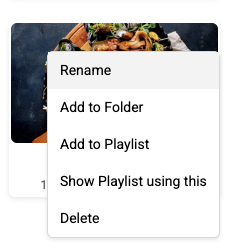
Once files are uploaded, users can:
-
Rename – Open the ⋮ menu on a file and select Rename.
-
Move to Folder – Open the ⋮ menu on a file and select Add to Folder.
-
Delete – Select a file and choose the delete option.
-
Show Playlists – Open the ⋮ menu on a file to see which playlists use it.